
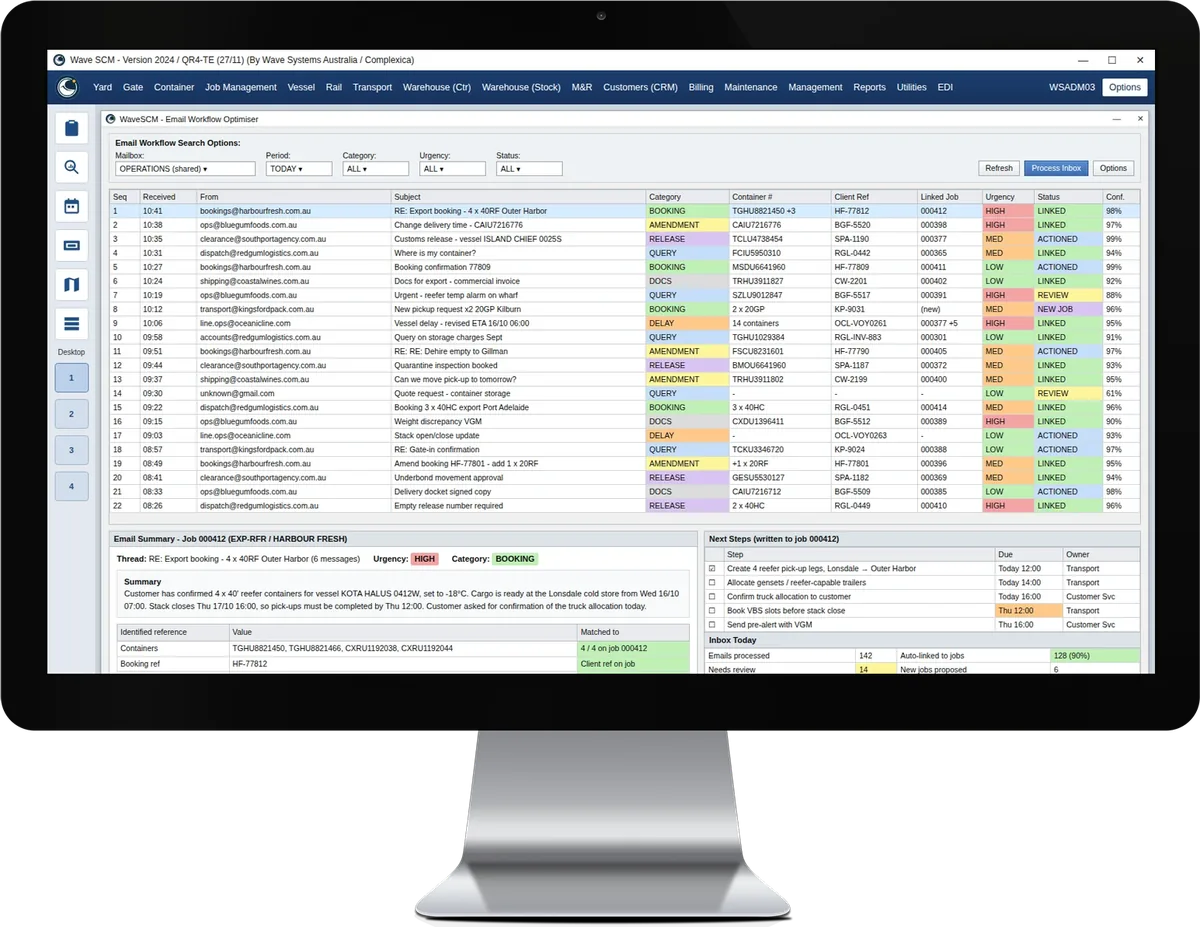
The Email Workflow Optimiser monitors the shared operations mailbox, identifies the container and reference numbers in each thread, and links the conversation to the right job in WaveSCM™. It then writes a summary, next steps and an urgency rating onto that job, so the triage load is lifted off the team and nothing waits in a queue. It is one of six WaveSCM Decision Cloud® modules, which bring the AI-driven optimisation of our parent company, Complexica, into WaveSCM.
Key features
- Shared mailbox monitoring: The optimiser works on the shared operations inboxes your team already uses, with no change to how customers contact you.
- Every email classified: Bookings, amendments, queries, documents and complaints are recognised as they arrive and routed to the right workflow.
- References and attachments read: Container numbers, booking references, vessel and voyage details are identified in the email and its attachments, such as booking requests, packing lists and delivery orders.
- Linked to the right job: Each conversation is attached to the matching job in WaveSCM, so the shipment context is held on the job rather than in one person’s mailbox.
- Summary, next steps and urgency: A short summary, the next steps and an urgency rating are written onto the job, and requested dates and cut-offs are raised so deadlines are not missed.
- Checks against the job: Details in the email or its documents are compared with the WaveSCM record, and any discrepancy is flagged for the team to resolve.
- Triggers the next step: Your standard operating procedures can be followed automatically, such as creating a task, updating a booking for review or preparing a draft reply for the team to check and send.
- Your people stay in control: Every action is visible on the job and staff approve what is sent. Higher levels of automation are introduced only where you ask for them.
Benefits
- Triage lifted off the team: Less time spent reading, sorting and forwarding email, and more time on the work itself.
- Faster responses to customers: Emails reach the right person with the context already attached.
- Context held on the job: Anyone in the team can pick up a shipment without searching through inboxes.
- Deadlines raised without chasing: Urgent requests and cut-offs are surfaced before they become problems.
- Fewer keying errors: Details are captured from the email and its documents rather than re-entered by hand.
To schedule a demo or learn more about WaveSCM, please contact us:
Request a Demo